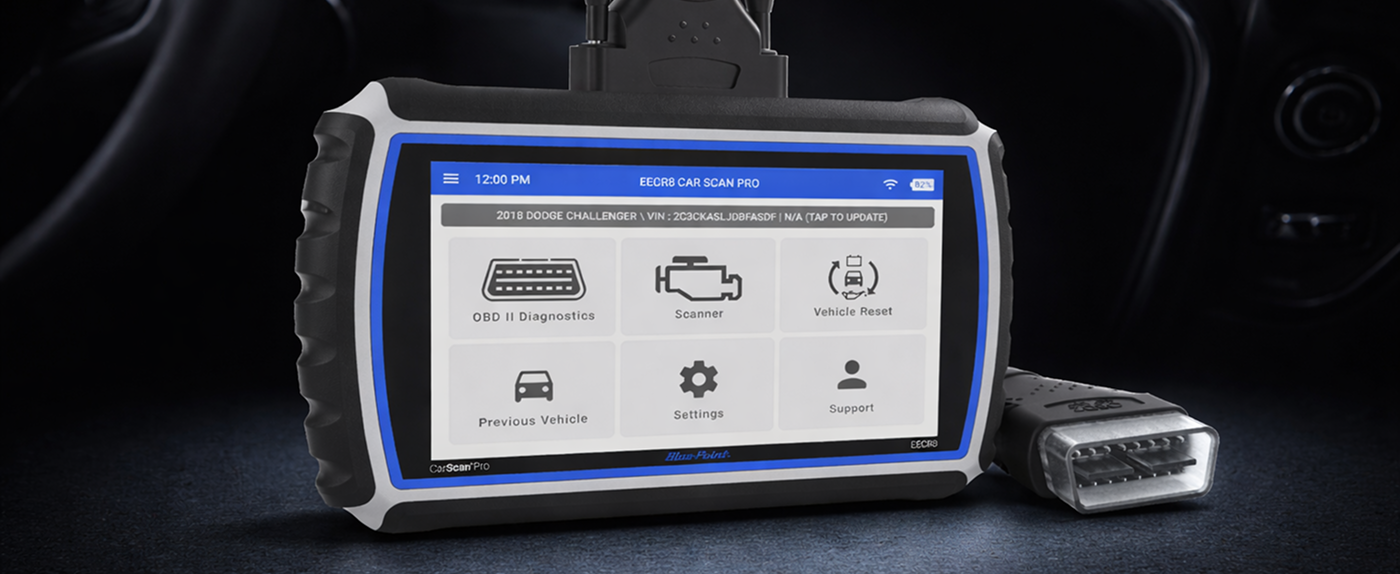
Unlocking the Stellantis & Nissan Secure Gateway with Blue-Point EECR8
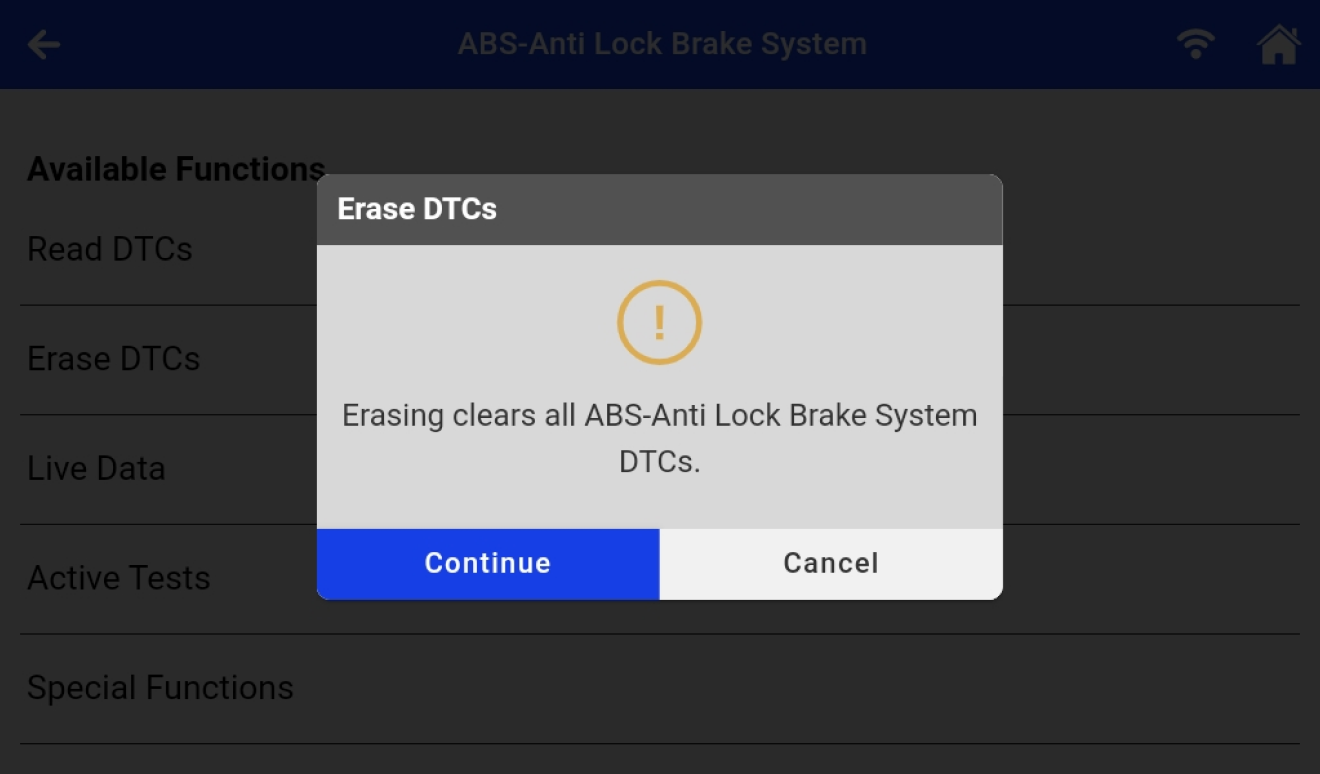
What is the Secure Gateway? Some Stellantis (Chrysler, Dodge, Jeep, RAM, etc.) vehicles made after 2018 and some Nissan vehicles made after 2020 require authorized access to their secure gateway to perform certain functions. Your tool can perform these functions after being registered with AutoAuth, a third-party service provider. Why do I need AutoAuth Account? AutoAuth is a 3rd party service that the OEM uses to grant access to its secure gateway. AutoAuth requires a membership to use this service. Your tool will prompt you when the secure gateway needs to be unlocked to complete a function. Note: AutoAuth is an independently owned company and not affiliated with Blue-Point. Any membership or secure gateway questions should be directed to AutoAuth. What Tool Functions Does this Unlock? Your tool will prompt you when a function requires secure gateway access. The exact functions vary by tool and vehicle model but generally, unlocking the secure Gateway allows: Stellantis (Chrysler, Dodge, Jeep, RAM, etc.) Erase OEM Diagnostics Trouble Code Scanner (Active Tests, Special Functions) Vehicle Reset and Service Functions (Resets, Relearns, Routines, Calibrations and Configurations) Nissan Scanner (Active Tests, Special Functions) Vehicle Reset and Service Functions (Resets, Relearns, Routines, Calibrations and Configurations) Creating an AutoAuth Account and Registering Your Tool You will be prompted to create an account with AutoAuth and register your tool. This is a paid membership and is required to unlock the gateway. AutoAuth Account Creation 1. On the Secure Gateway login screen, copy the GUID/Serial Number, and then tap “New User” button. This will open AutoAuth’s website: https://webapp.autoauth.com. 2. On AutoAuth’s website, select “Register” to sign up with AutoAuth.
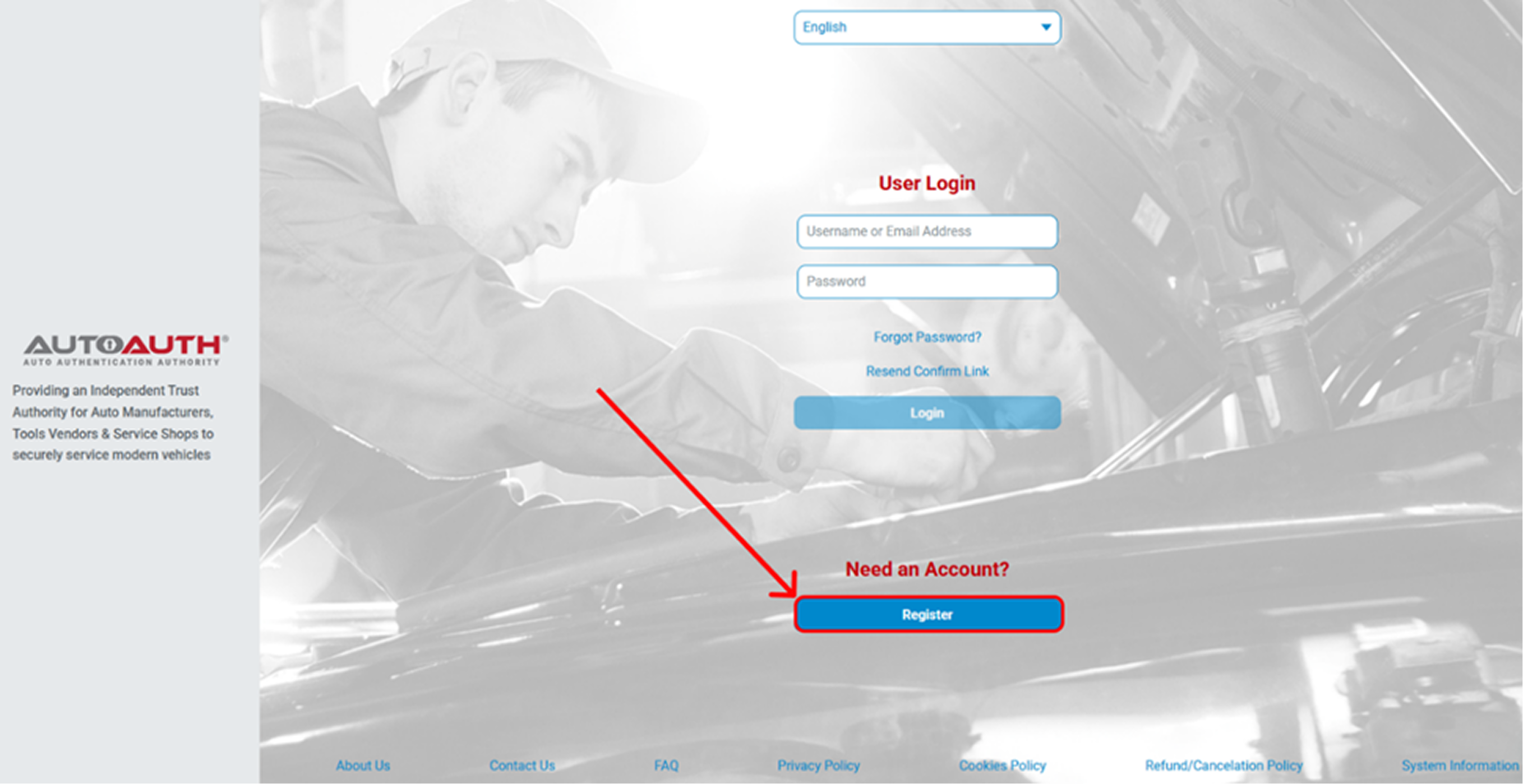
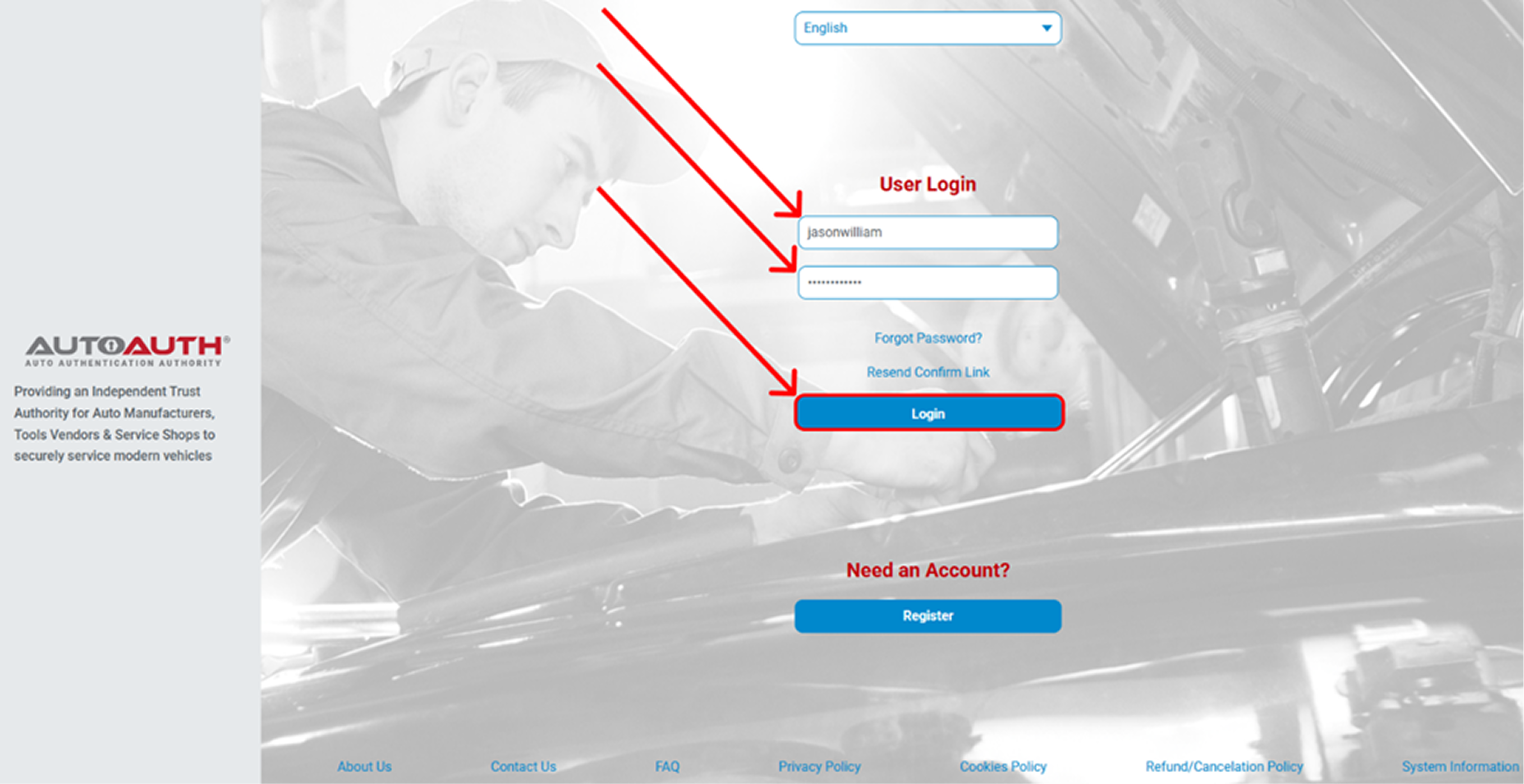
3. Create your account and verify your email. 4. Login to AutoAuth’s website (If not already logged in)
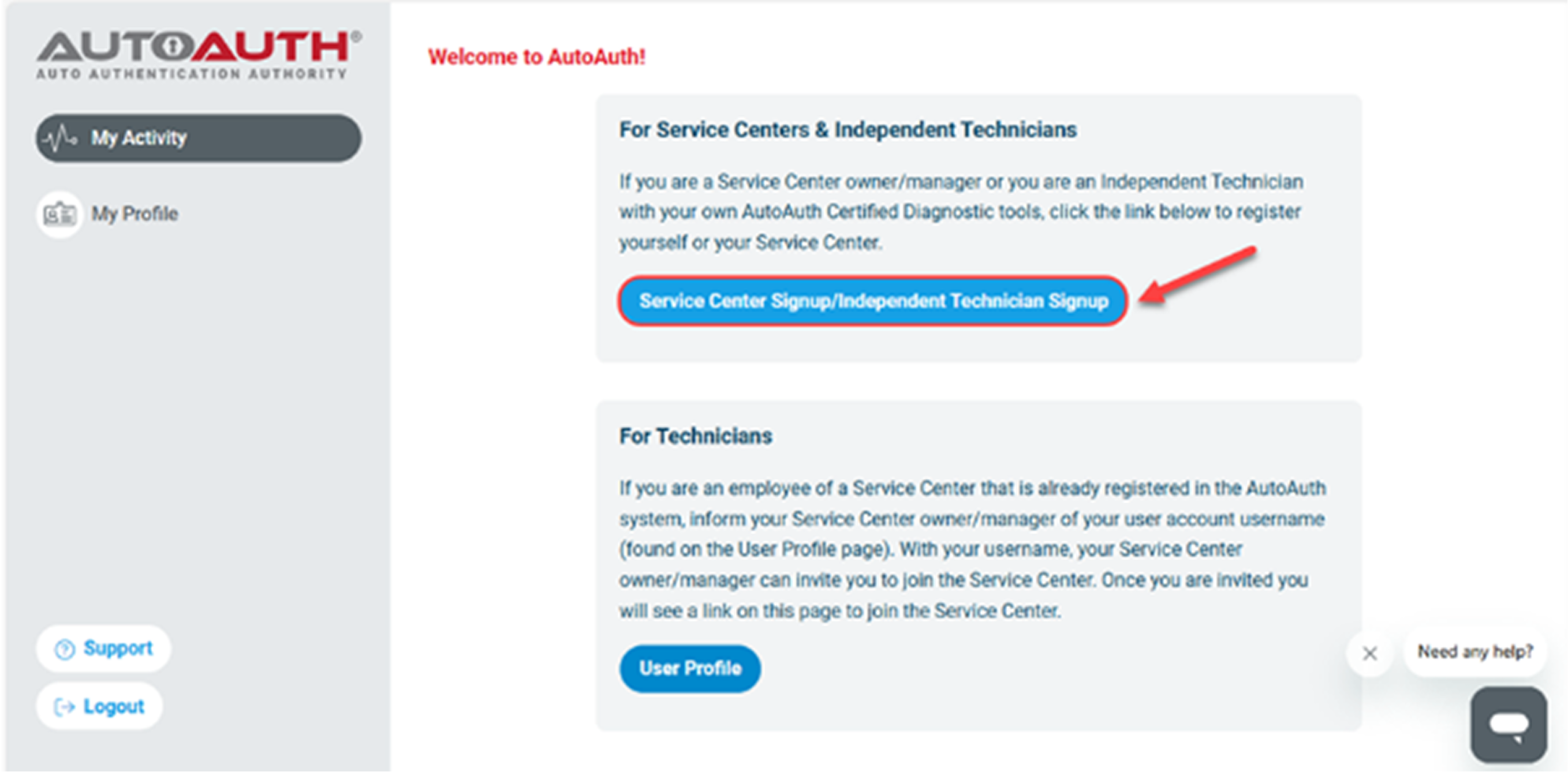
5. From your account home, select the For Service Centers & Independent Technicians plan. Note: If you choose the “For Technicians” plan, the account must be linked to a Service Centers or Independent Technicians account to access AutoAuth services.
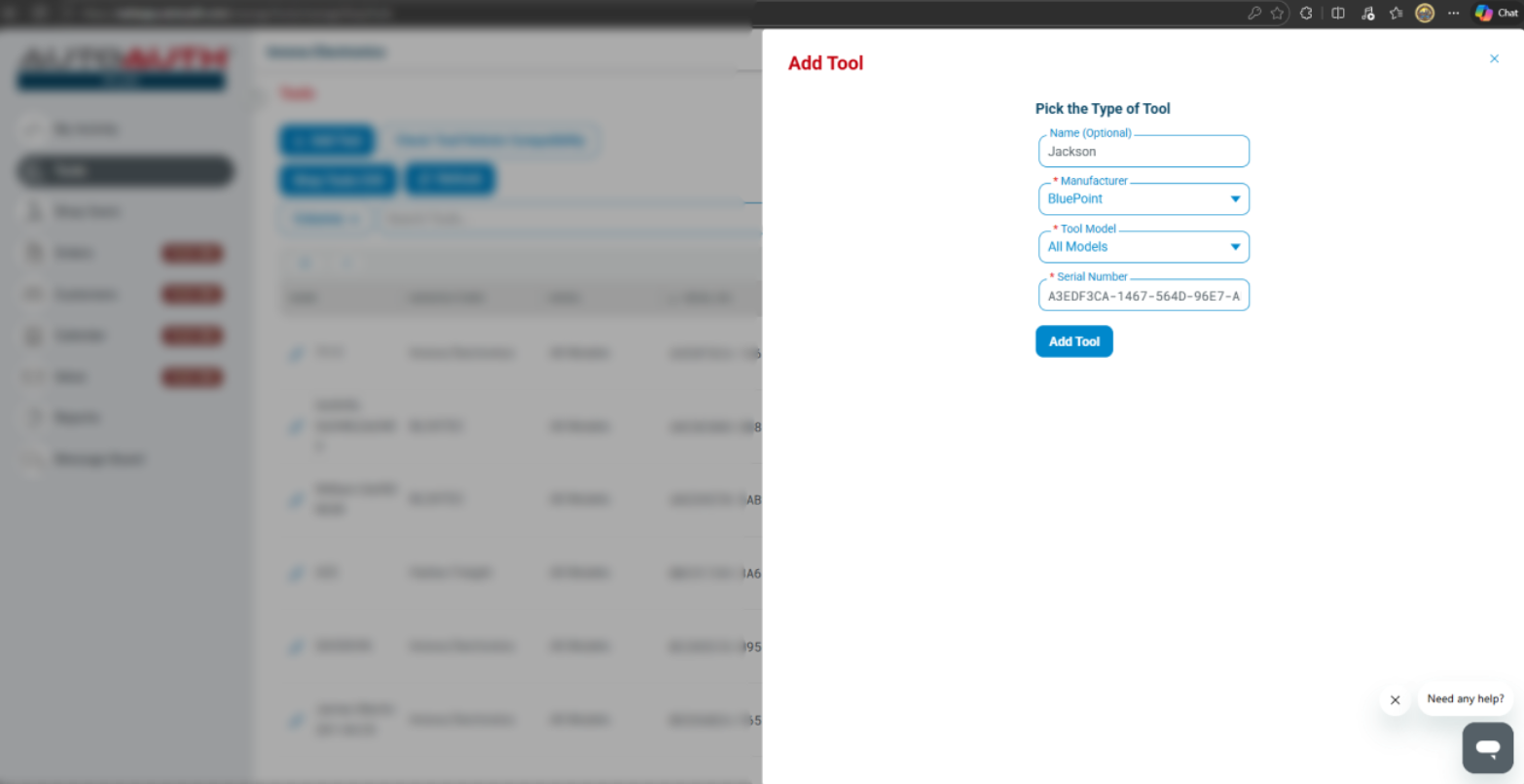
6. Select your membership and process payment. Registering Your Tool 1. On your AutoAuth account page, after logging in as the shop owner, select “Manage Tools” from the left menu. 2. Click the “+ Add Tool” button, then select your diagnostic tool’s manufacturer (e.g., BluePoint), then select “All Models” from the provided lists. 3. Enter the unique serial number (GUID) of your tool. This will be displayed when beginning the AutoAuth sign up process in the Blue-Point EECR8. Note: The serial number is usually located in the settings of your tool, on the security gateway log in screen. 4. Click “Add Tool” to complete the registration. Once added, your tool will be authorized by AutoAuth to unlock the Stellantis Secure Gateway on compatible vehicles.
Unlock Your Tool and access the Secure Gateway functions 1. On Secure Gateway Access Disclaimer screen, tap the “Continue” button, enter your existing AutoAuth login credentials, and then tap the Continue button.
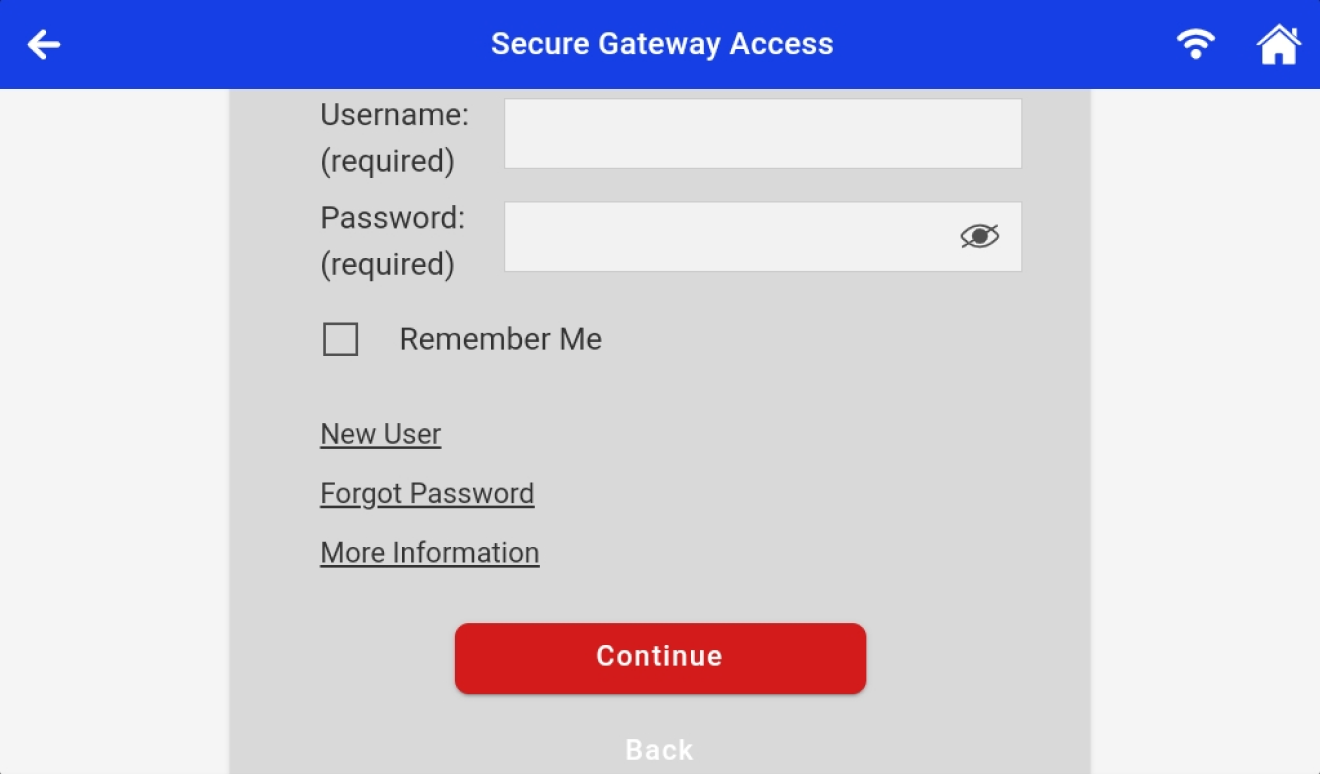
2. You will be prompted to a screen where the Secure Gateway Access (SGW) is being unlocked. This may take a moment...

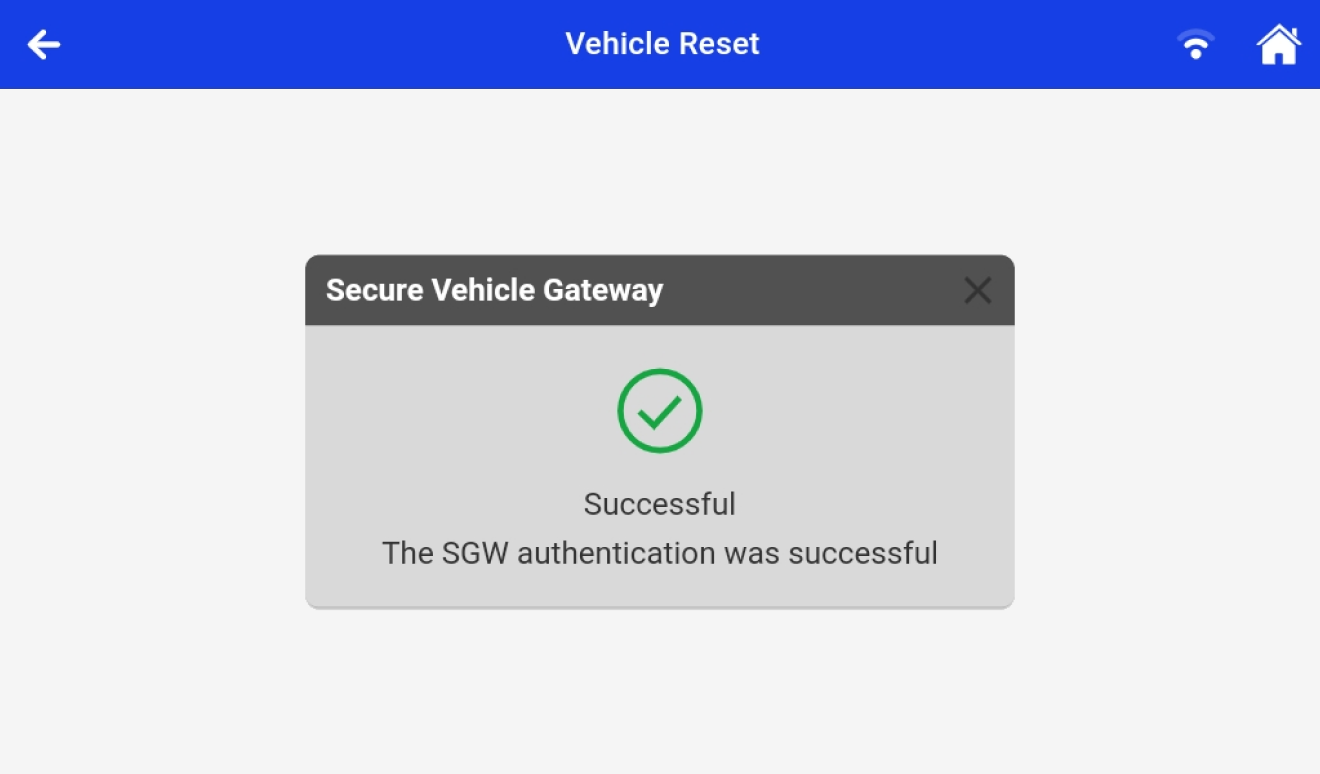
3. Once SGW authentication is complete, a “Successful” screen will appear. Your tool will then automatically enter the previously locked function. You may now proceed to perform any desired function on your tool.
Troubleshooting 1. Does the Secure Gateway unlock process require an Internet connection? Yes. The Blue-Point EECR8 must maintain a stable Wi-Fi connection throughout the unlock process. If the network signal is weak or interrupted, the process may fail. 2. How can I ensure full Secure Gateway access for both FCA and Nissan vehicles? To ensure full Secure Gateway access for both FCA and Nissan vehicles, update your Blue-Point EECR8 to the latest available firmware version.